Login
This guide will walk you through logging in to Workforce Authority by SecureAuth.
Prerequisites
- User account access to Workforce Authority
Logging in to Workforce Authority
-
Go to the login page for Workforce Authority at this URL: https://mfa.acceptto.com/users/sign_in.
-
Use either one of the following methods:
-
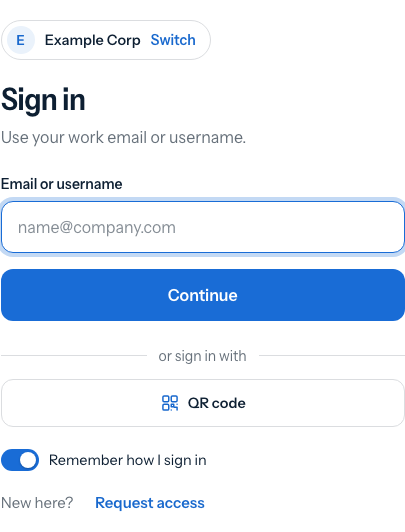
Email or username. Enter your work email or username and click Continue.
With this login method, another page displays prompting you to verify it's you.
-
QR code. Click QR code. Open the Workforce Authority Mobile app on your phone, tap Scan, and scan the code on the Scan to sign in screen.
With this login method, a Push notification is sent to your Workforce Authority Mobile app. In the mobile app, you can accept or deny the login request.
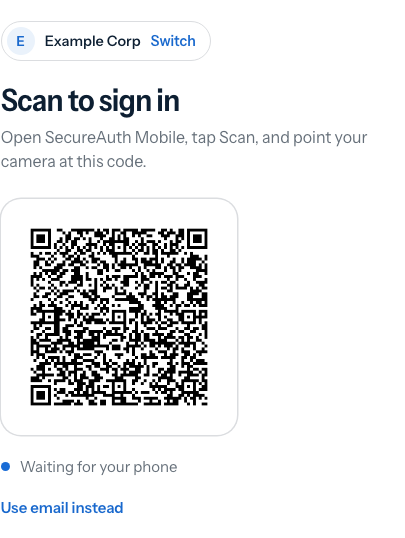
To go back, click Use email instead.
-
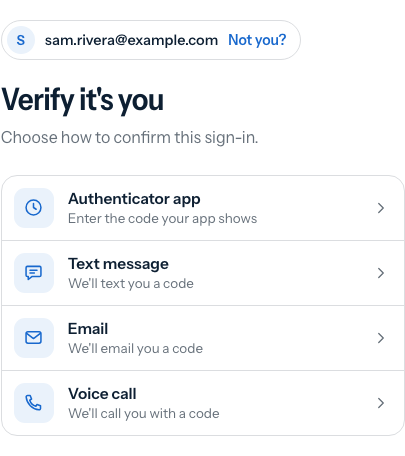
Verify it's you
After you enter your email or username, the Verify it's you page lists the authentication methods set up for your account.
Select a method and follow the on screen instructions to verify your identity.