Reset user profile
As a help desk administrator in Workforce Authority, you can reset a user's profile data.
For example, an end user cannot pair their device due to a change in their mobile phone number, forgotten security questions, or they cannot reliably receive SMS. An administrator with Help desk permissions (at minimum), can reset user profiles.
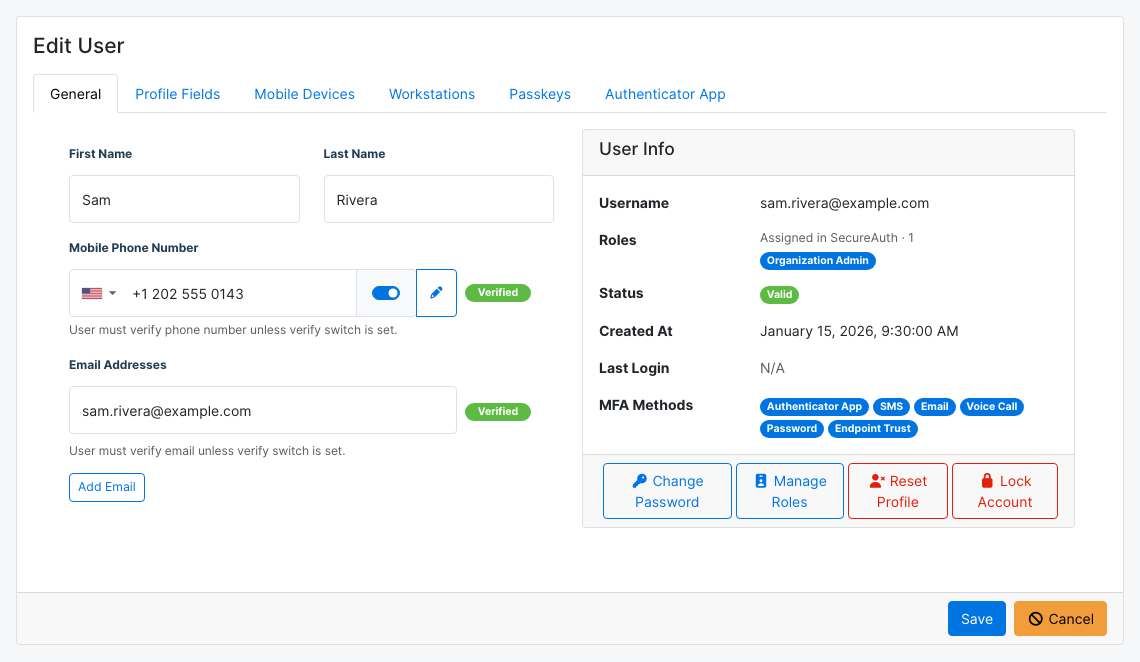
When you reset a user's profile, it removes all paired email addresses, unpairs all devices, and security questions and answers. After the profile is reset, the end user can now pair their device again.
-
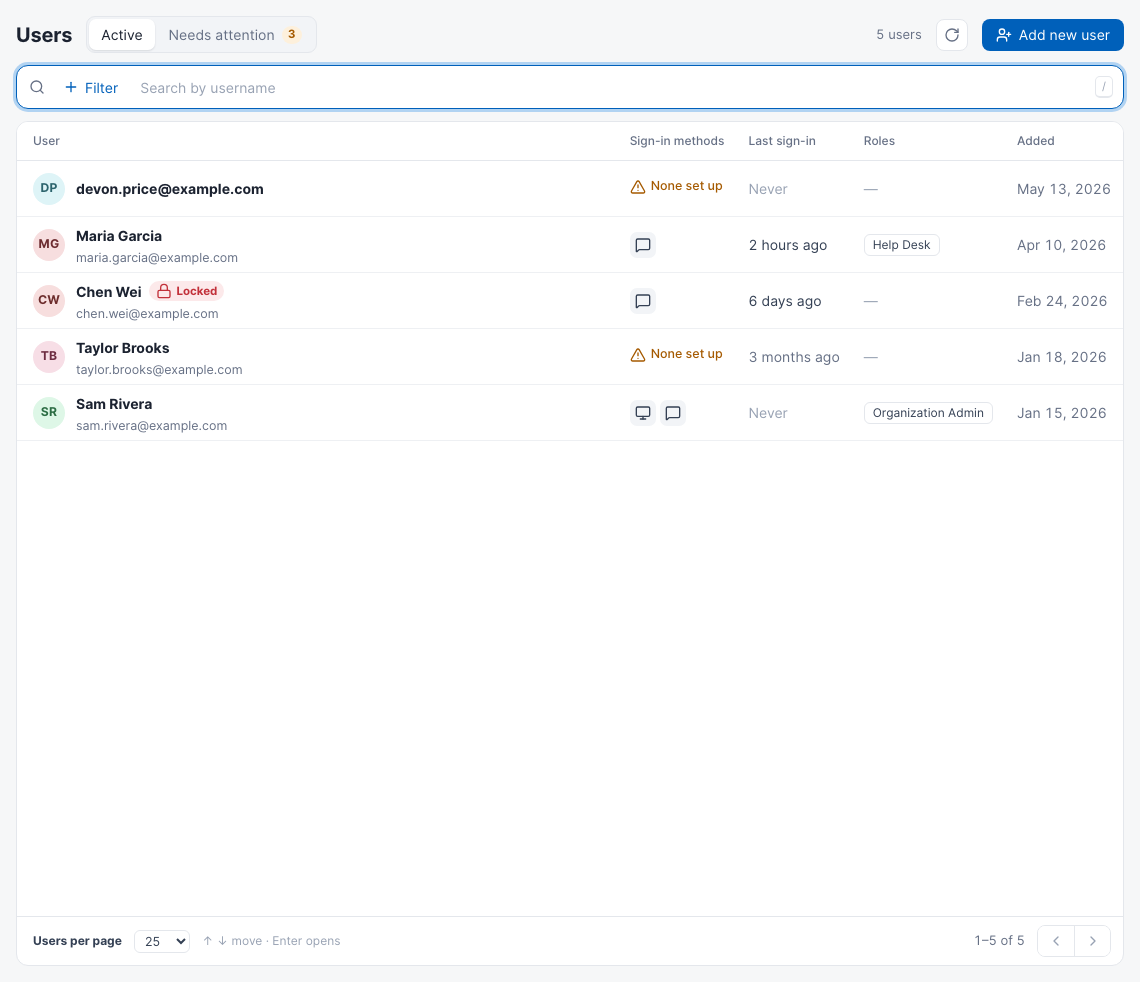
Log in to Workforce Authority and from the left navigation, click Users.
-
In the list, for the user account you want to reset, click the user's row.
-
On the Edit user page, click Reset Profile.
-
Inform the end user that they can now pair their device.