Alibaba Cloud SAML integration
Alibaba Cloud, or Aliyun, is a cloud computing subsidiary of Alibaba Group, offering IT infrastructure, data algorithms, big data analytics, machine learning, and IoT services for the Group's business units. It's the third-largest Infrastructure as a Service (IaaS) provider globally and serves various industries.
Workforce Authority by SecureAuth, offers a simple method for adding MFA to Alibaba Cloud via its SAML solution.
Multi-Factor Authentication (MFA) is an extra layer of security used when logging into websites or apps. Individuals are authenticated through more than one required security and validation procedure that only they know or have access to.
Security Assertion Markup Language (SAML) is a protocol for authenticating to web applications. SAML allows federated apps and organizations to communicate and trust one another’s users.
Prerequisites
-
Configured Workforce Authority instance and user account with administrative privileges for Workforce Authority.
-
Configured Workforce Authority LDAP Agent.
For more information, see the Workforce Authority LDAP Agent deployment guide.
-
User account with administrative privileges for Alibaba Cloud.
Alibaba Cloud configuration
In this section, you'll configure Alibaba Cloud as a service provider (SP).
-
Download the SAML metadata and certificate for your organization from Workforce Authority.
Metadata download:
https://sso.acceptto.com/<myorganization>/saml/download/metadataView metadata:
https://sso.acceptto.com/<myorganization>/saml/metadataCertificate download:
https://sso.acceptto.com/<myorganization>/saml/download/cert -
Log in to the Alibaba CloudSSO console with an administrative account.
-
On the Overview page, copy the User Logon URL.
You will need the user logon URL in the Workforce Authority configuration.

-
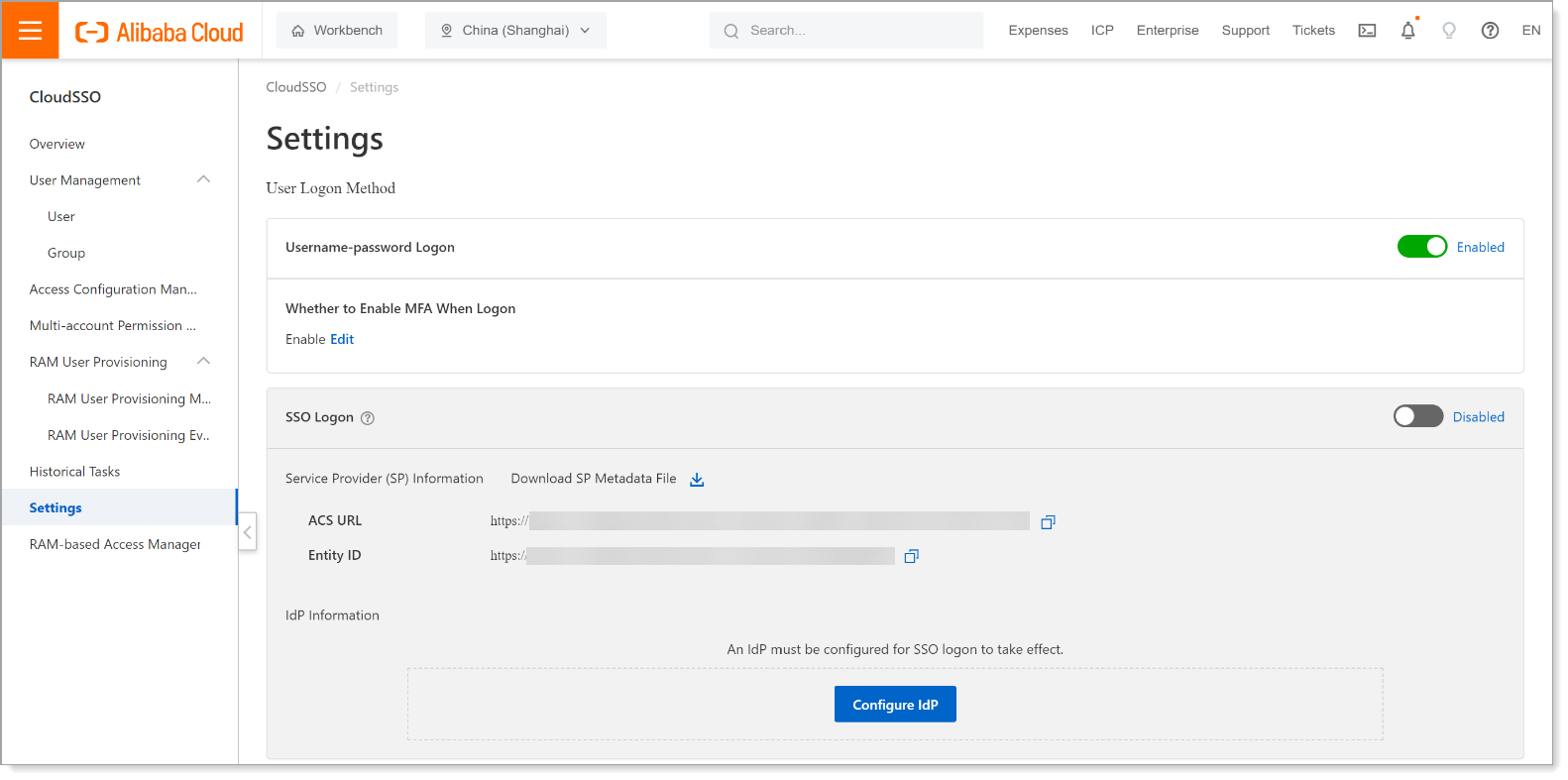
In the left navigation, select Settings and then click Configure IdP.
-
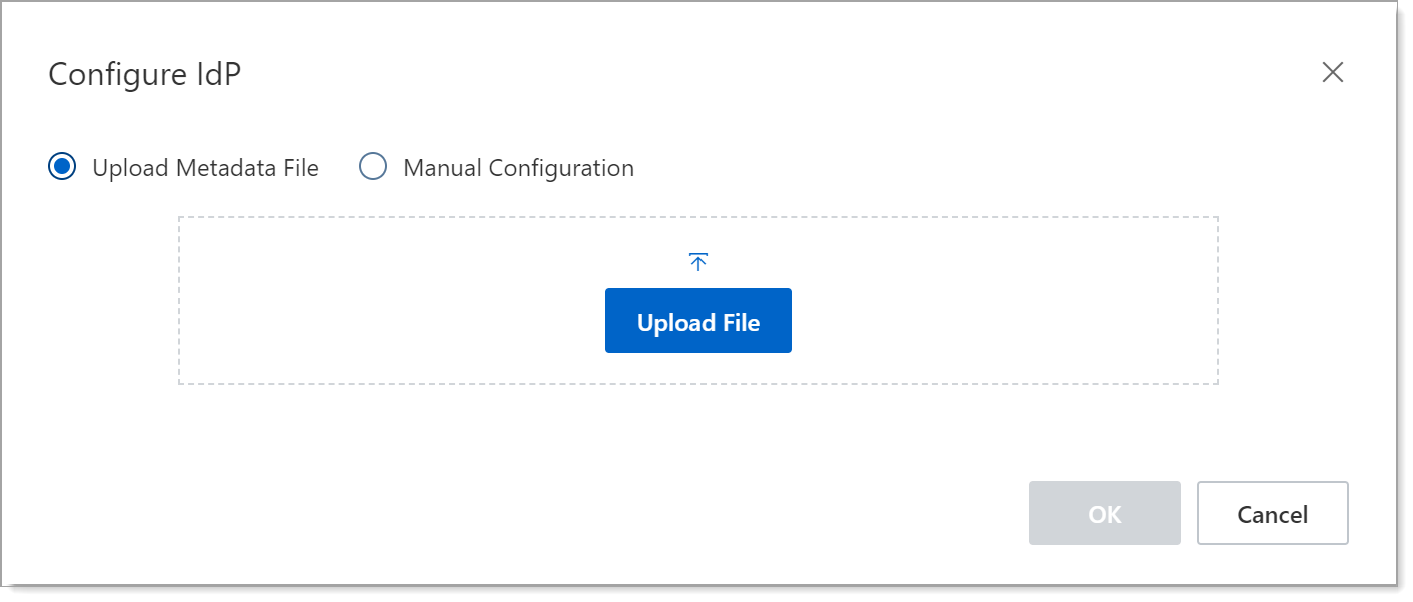
Select Upload Metadata File, click Upload File, and select the Workforce Authority metadata file you downloaded Step 1 and click OK.
-
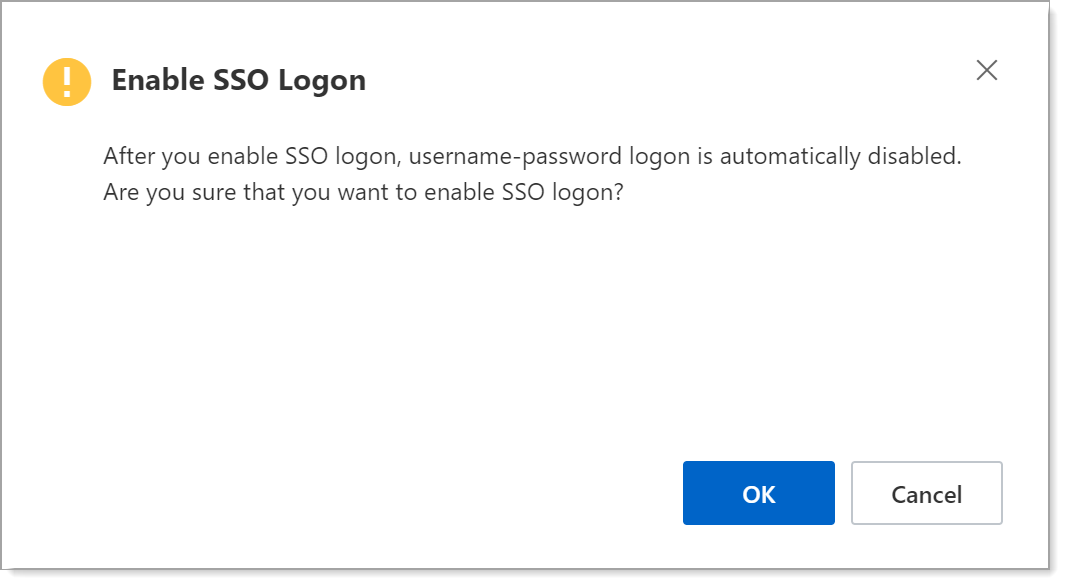
On the Enable SSO Logon page, click OK.
-
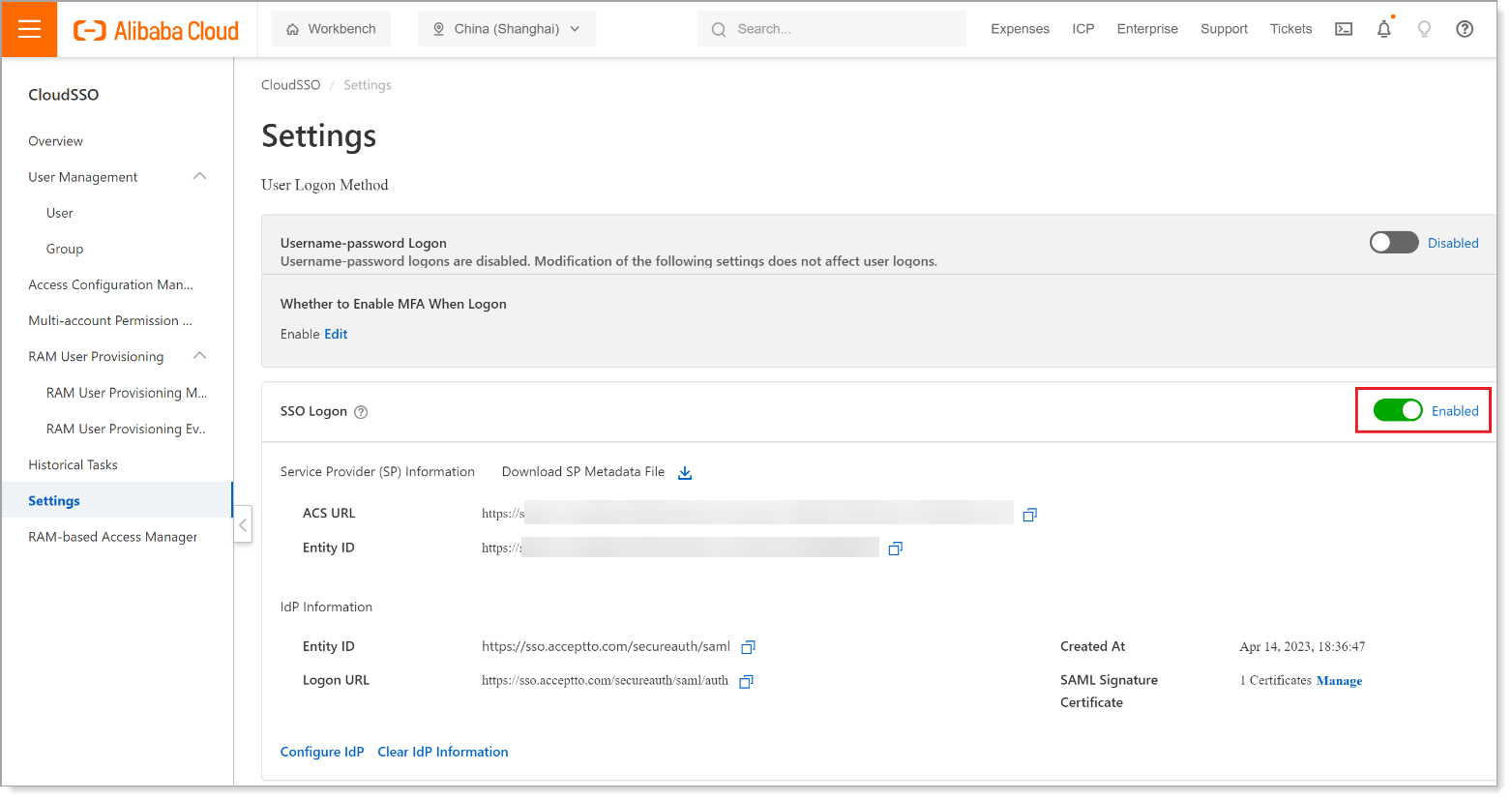
On the Settings page, for SSO Logon, move the slider to Enabled and copy the Service Provider ACS URL and Entity ID values.
You will need the ACS URL and Entity ID values for the Workforce Authority configuration.
Workforce Authority SAML configuration as an Identity Provider (IdP)
In this section, you'll add an application for Alibaba Cloud and set the SAML configuration settings. This will define the Identity Provider (IdP) side of the configuration.
-
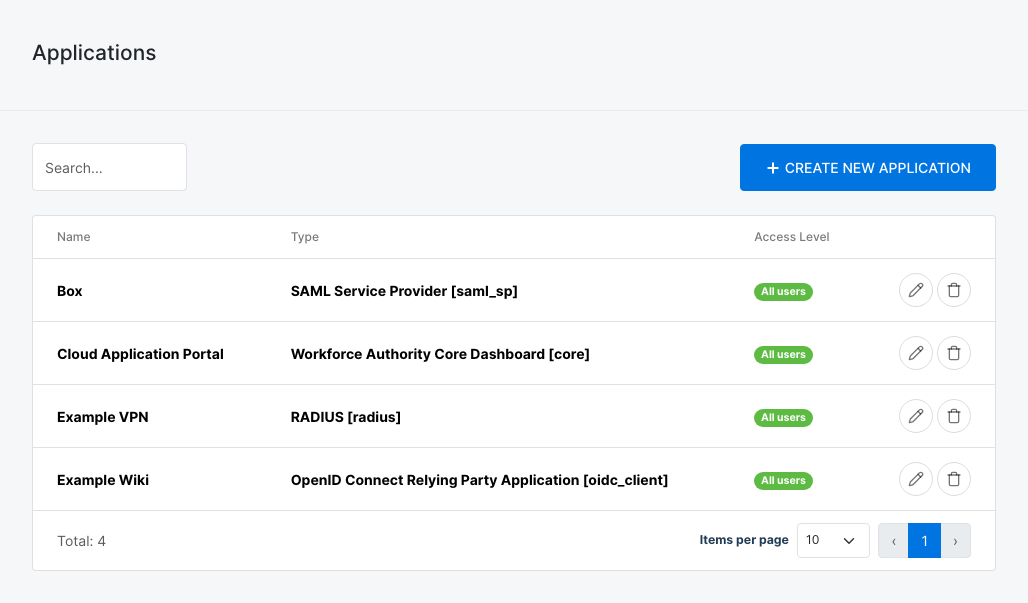
Log in to Workforce Authority with an administrative account and go to Applications.
-
Click Create New Application.
-
In the New Application form, on the General tab, set the following configurations:
Name Set the name of the application. This is the name to display for push notifications, in the Admin panel, Application portal, and audit logs. For example, Alibaba Cloud. Type Set to SAML Application. Template Set to SAML Service Provider [saml_sp]. Out of Band Methods Select the allowed methods end users can choose to approve MFA requests. For example, Workforce Authority Mobile app (push notifications), SMS, or Security Key. Message for MFA Requests Optional. Type a message displayed to end users when sending an MFA request via push notification, SMS, or email. 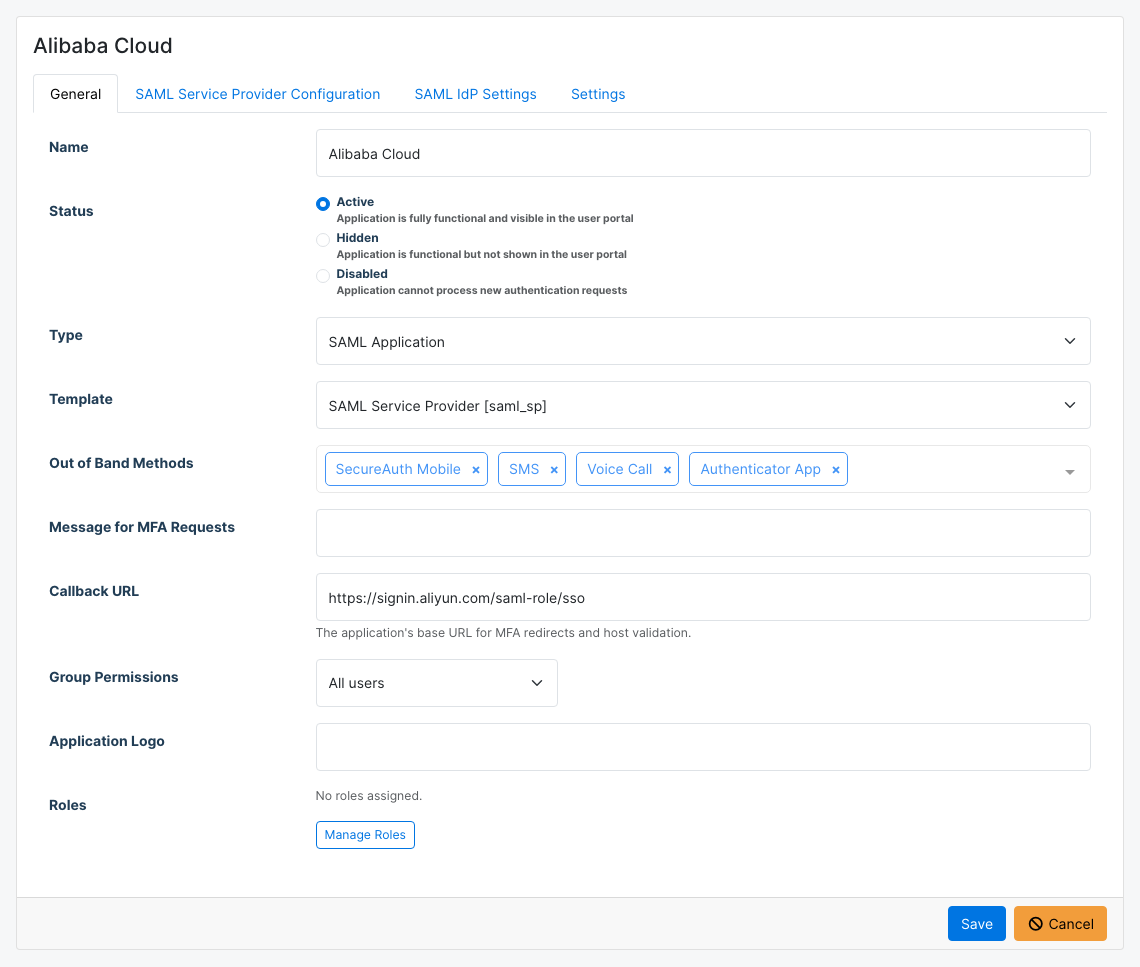
-
Select the SAML Service Provider Configuration tab, and set the following configurations:
Issuer or Entity ID Paste the Entity ID that you copied earlier in Step 7 of the Alibaba Cloud configuration. Log in URL Paste the Log in URL that you copied earlier in Step 3 of the Alibaba Cloud configuration. NameID Format Set to Persistent. Name Identifier Set to mail, the attribute that holds the user's email address. The Name Identifier is depends on user accounts in your Alibaba Cloud. For example:ACS URL Paste the ACS URL that you copied earlier in Step 7 of the Alibaba Cloud configuration. Algorithm Set to RSA-SHA256. 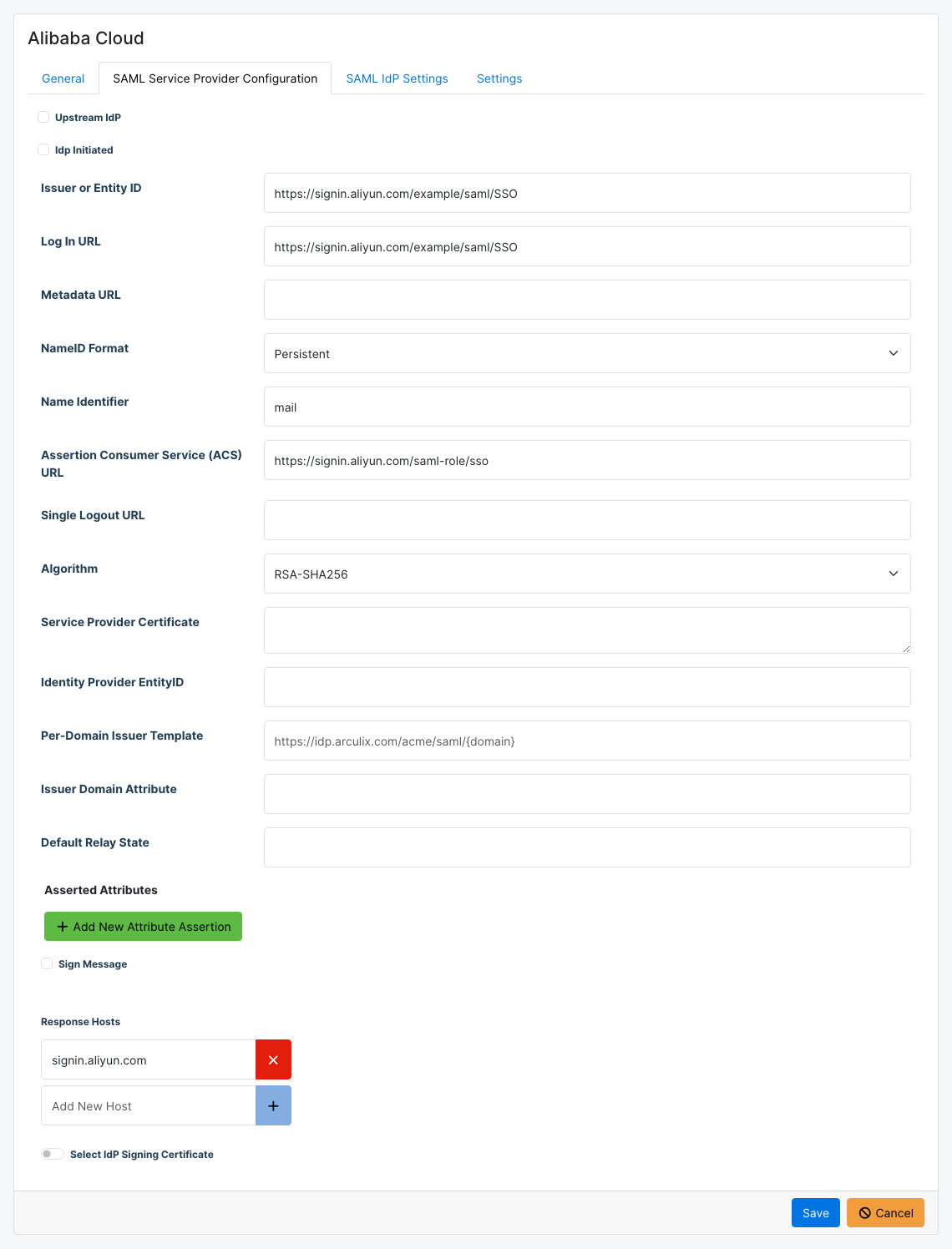
-
Save your changes.
Test your application integration
-
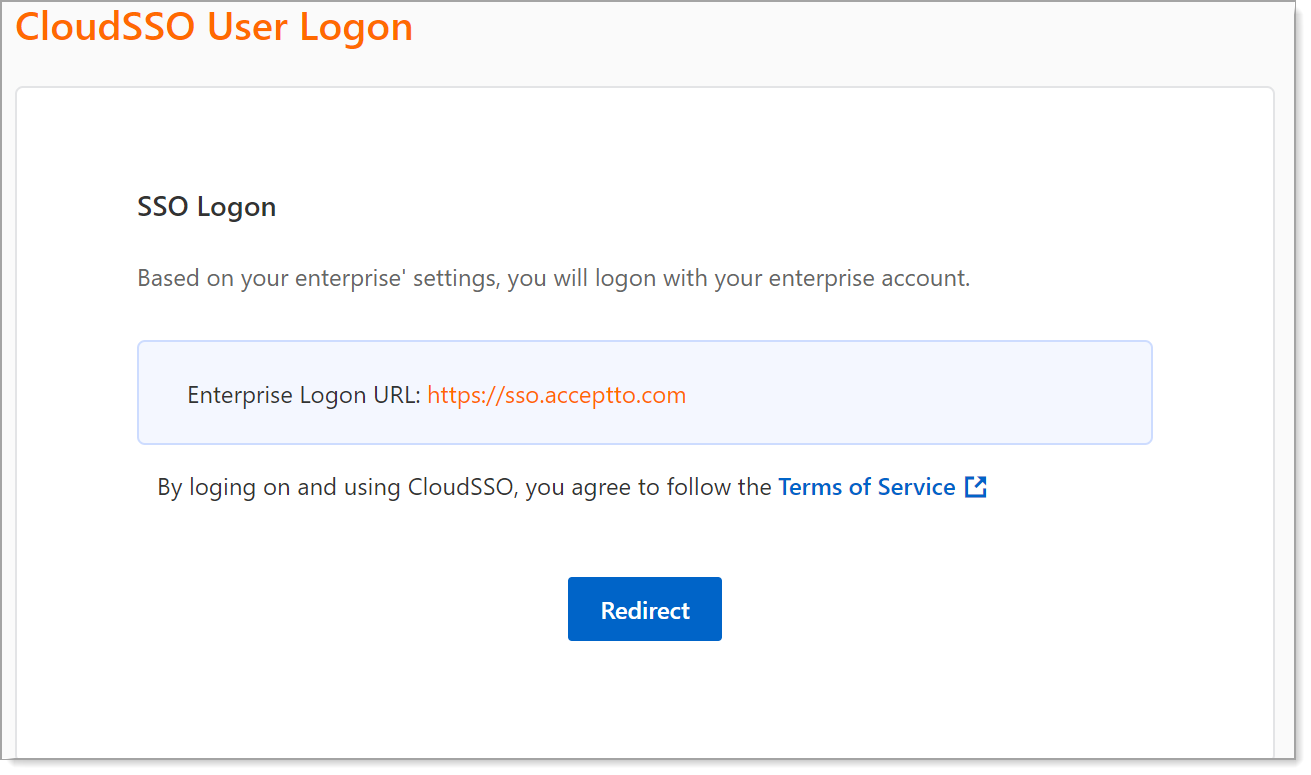
Go to User Login URL and click Redirect.
-
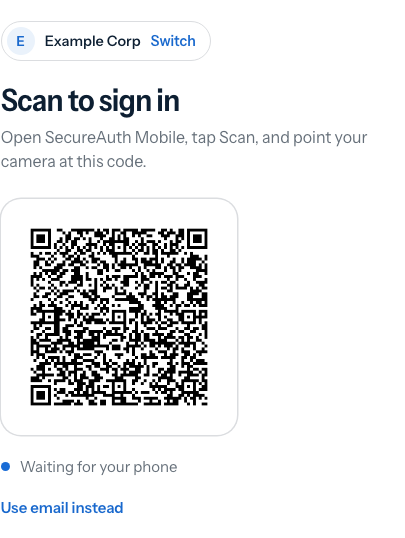
You will be redirected to the Workforce Authority SSO page.
-
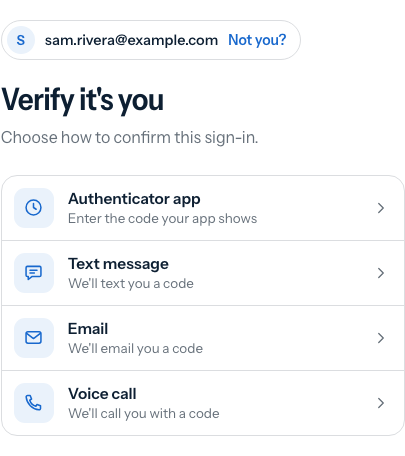
After successful authentication, select your preferred MFA method to approve access to the Alibaba Cloud application.
-
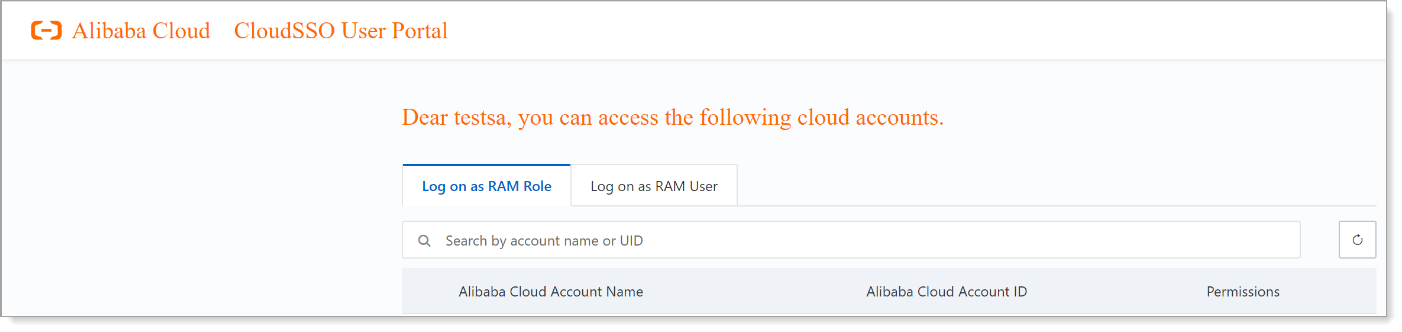
You will be redirected and logged in to Alibaba Cloud.
Support
If you have questions or need assistance, contact SecureAuth Support.
Sales
Want to learn more about our MFA solutions? Contact our Professional Services for a demo today.
Disclaimer
All product names, trademarks, and registered trademarks are the property of their respective owners.
All company, product, and service names used in this document are for identification purposes only. The use of these names, trademarks, and brands do not constitute an endorsement by the SecureAuth Corporation.