BeyondTrust Privilege Management for Unix and Linux integration
Use this guide to integrate Workforce Authority with BeyondTrust Privilege Management for Unix and Linux.
With Workforce Authority by SecureAuth, you can get push notifications for MFA.
Prerequisites
-
Configured Workforce Authority instance and user account with administrative privileges for Workforce Authority.
-
User account with administrative privileges for BeyondTrust Privilege Management for Unix and Linux.
BeyondTrust Privilege Management configuration
Once you configure a role-based or server-based policy in BeyondTrust, you need to add a script policy for the corresponding allowed commands.
-
In BeyondInsight, go to Policy > Server Details > Role Based Policy > Command Groups.
-
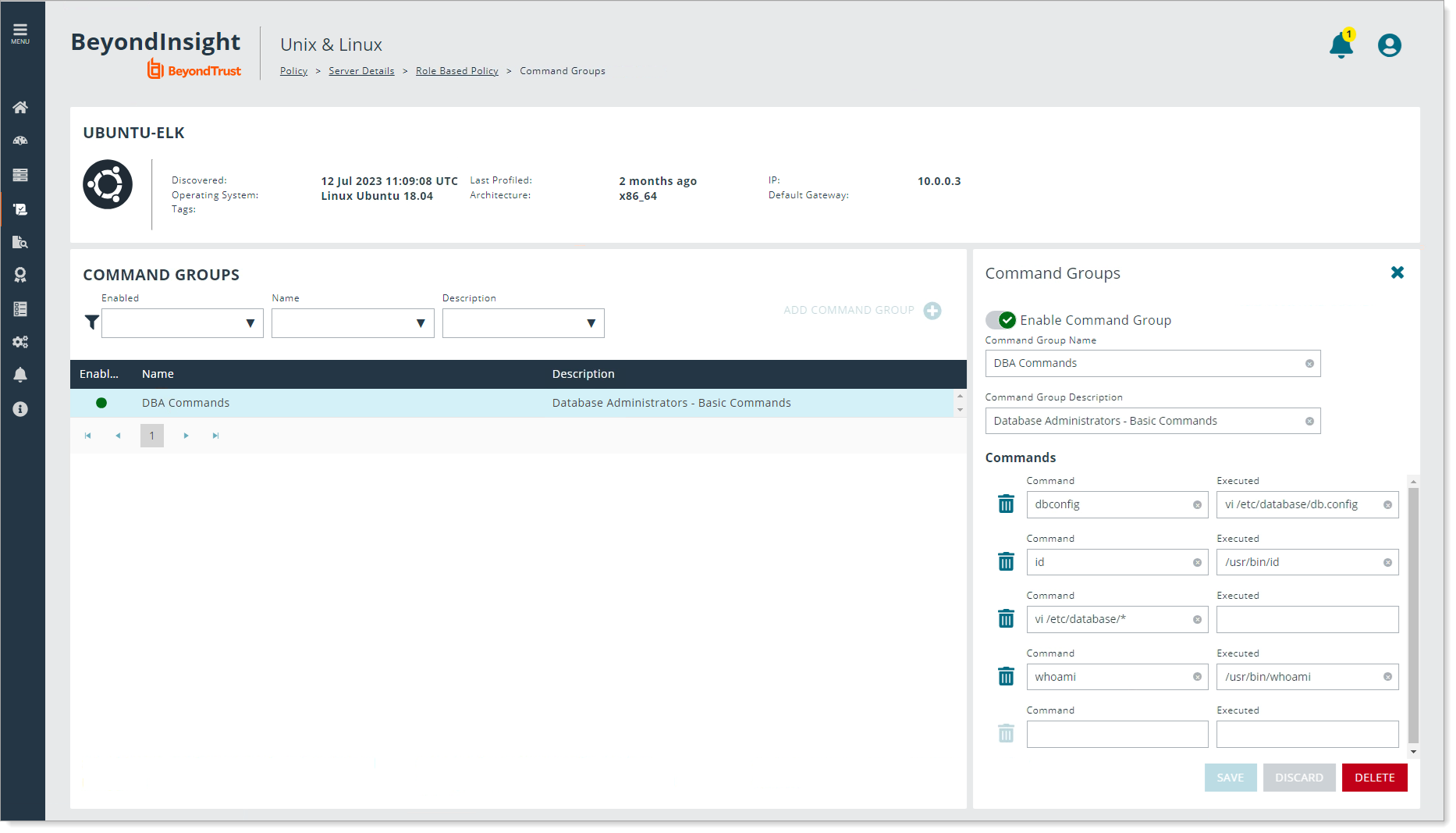
On the Command Groups page, you need to create a group of allowed Commands.
For example, you can allow changes to a configuration file and run test commands.
-
In the Role Based Policy, create a Role name.
For example, the role name is
DatabaseAdmins.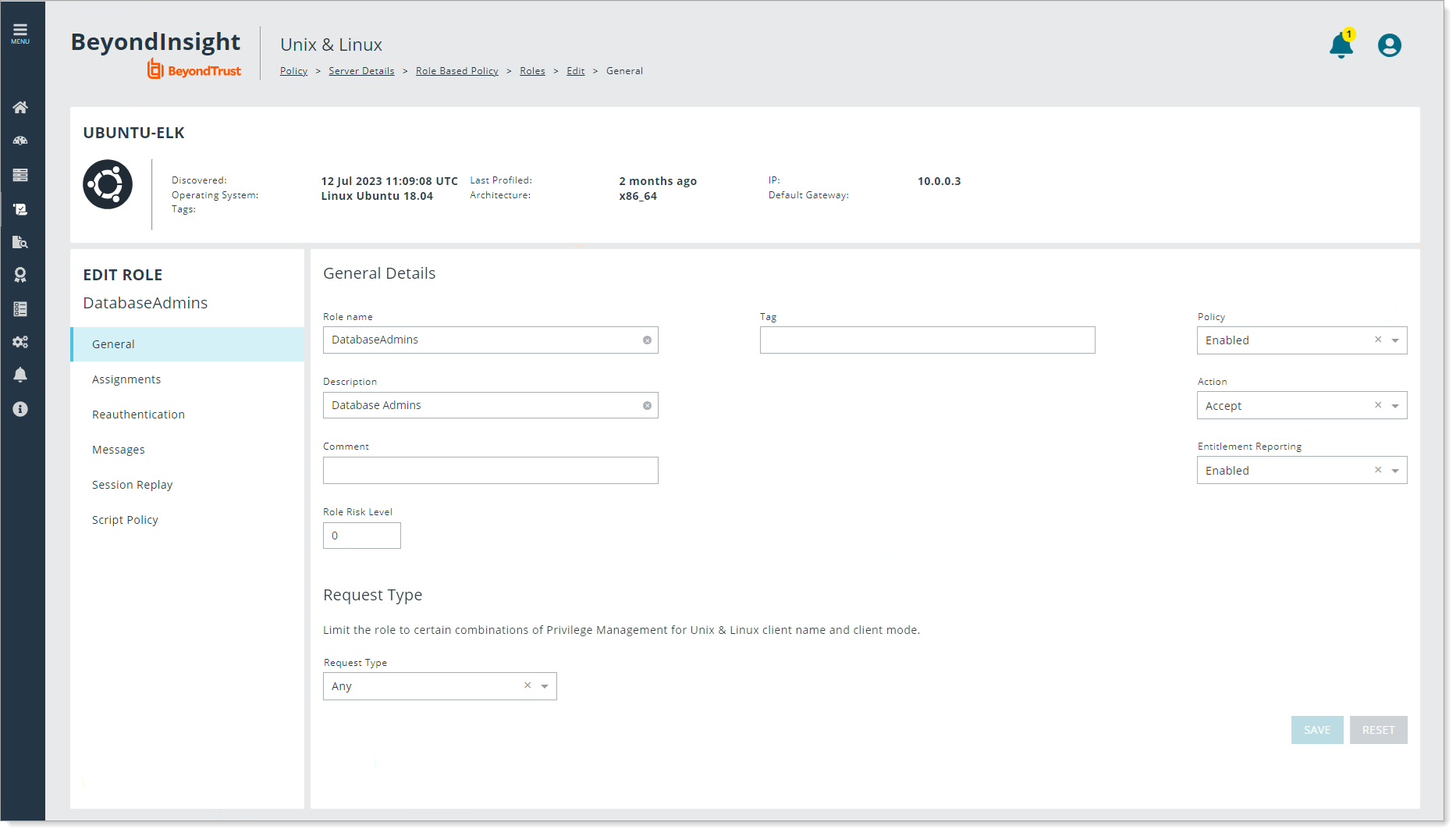
-
Assign a user (Who) to the DBA Commands group (What).
For example, in this demo environment, the user is
beyondtrust.demoassigned toDBA Commands.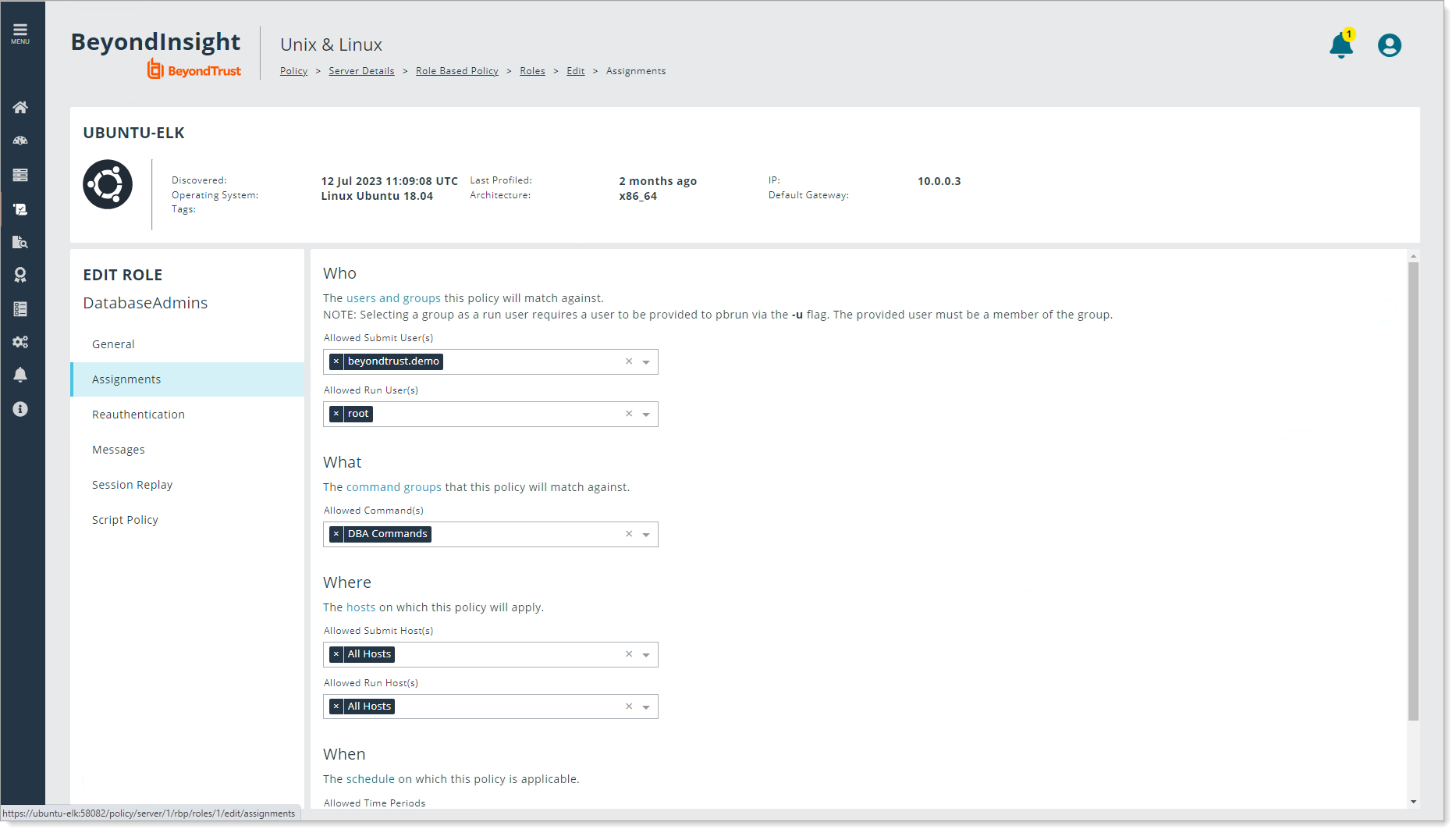
-
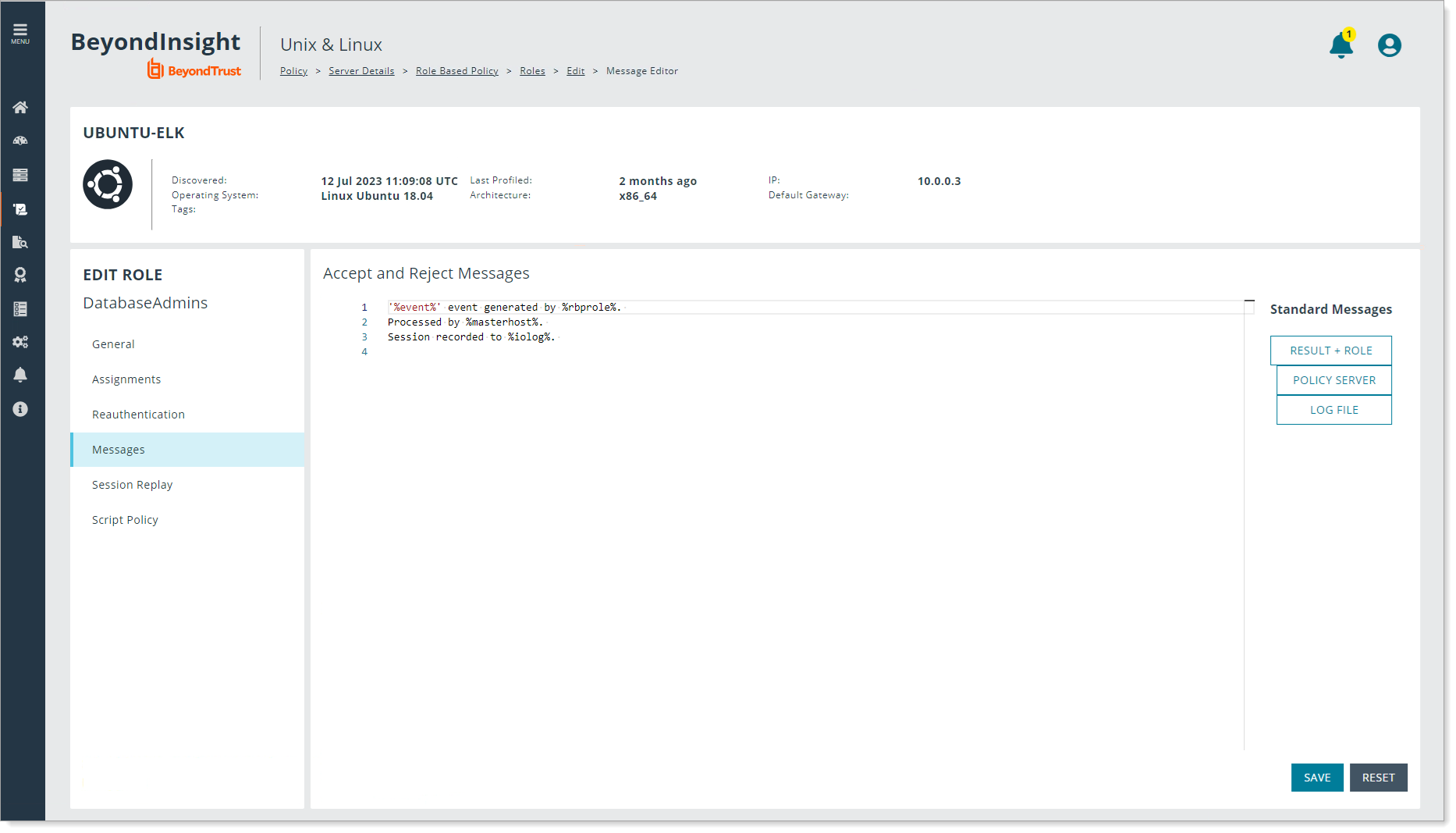
Optional. Enable accept and reject messages.
-
Create a Script Policy to interact with Workforce Authority and send a push notification to Workforce Authority Mobile.
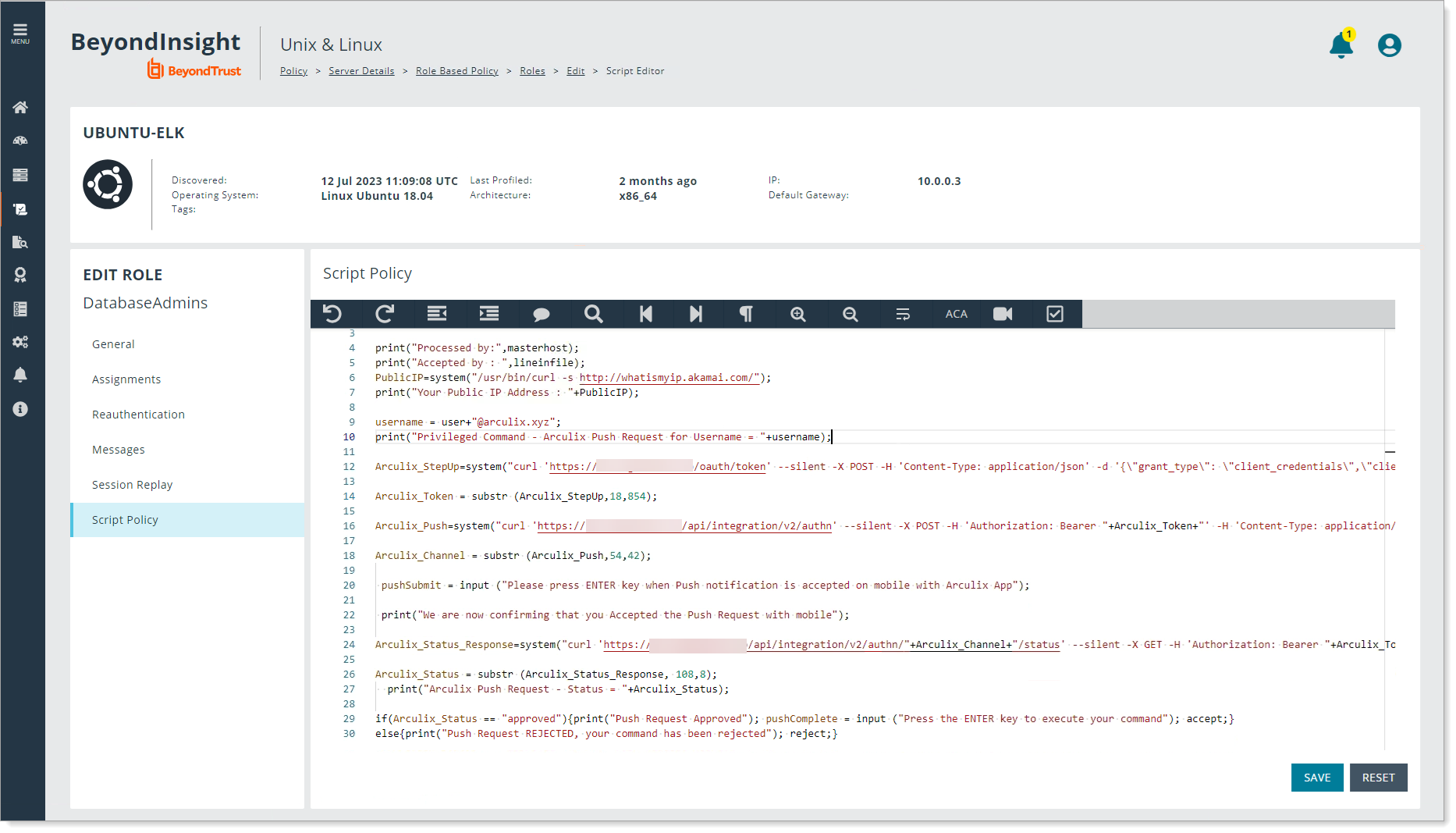
Sample script
# Workforce Authority API service account - Oauth Client Credentials client_id = "myclientid" client_secret = "<your-client-secret>" print("Processed by:",masterhost); print("Accepted by : ",lineinfile); PublicIP=system("curl -s http://whatismyip.akamai.com/"); print("Your Public IP Address : "+PublicIP); username = user+"@example.com"; print("Privileged Command - Workforce Authority Push Request for Username = "+username); MFA_StepUp=system("curl 'https://<your Workforce Authority tenant>/oauth/token' --silent -X POST -H 'Content-Type: application/json' -d '{\"grant_type\": \"client_credentials\",\"client_id\": \""+client_id+"\",\"client_secret\": \""+client_secret+"\",\"scope\": \"public\"}'"); MFA_Token = substr (MFA_StepUp,18,854); MFA_Push=system("curl 'https://<your Workforce Authority tenant>/api/integration/v2/authn' --silent -X POST -H 'Authorization: Bearer "+MFA_Token+"' -H 'Content-Type: application/json' -d '{\"credential_type\": \"password_less_login\",\"auth_credentials\": {\"username\": \""+username+"\"},\"type\": \"Event Check\",\"message\": \"BeyondTrust Step Up Auth Request\",\"event\": \"Continuous-Auth\",\"auth_factor\": [\"push\"]}'"); MFA_Channel = substr (MFA_Push,54,42); pushSubmit = input ("Please press ENTER key when Push notification is accepted on mobile with Workforce Authority App"); print("We are now confirming that you Accepted the Push Request with mobile"); MFA_Status_Response=system("curl 'https://<your Workforce Authority tenant>/api/integration/v2/authn/"+MFA_Channel+"/status' --silent -X GET -H 'Authorization: Bearer "+MFA_Token+"'"); MFA_Status = substr (MFA_Status_Response, 108,8); print("Workforce Authority Push Request - Status = "+MFA_Status); if(MFA_Status == "approved"){print("Push Request Approved"); pushComplete = input ("Press the ENTER key to execute your command"); accept;} else{print("Push Request still PENDING or REJECTED, your command has be aborted"); reject;} -
Save your changes.
Test your integration with Workforce Authority
-
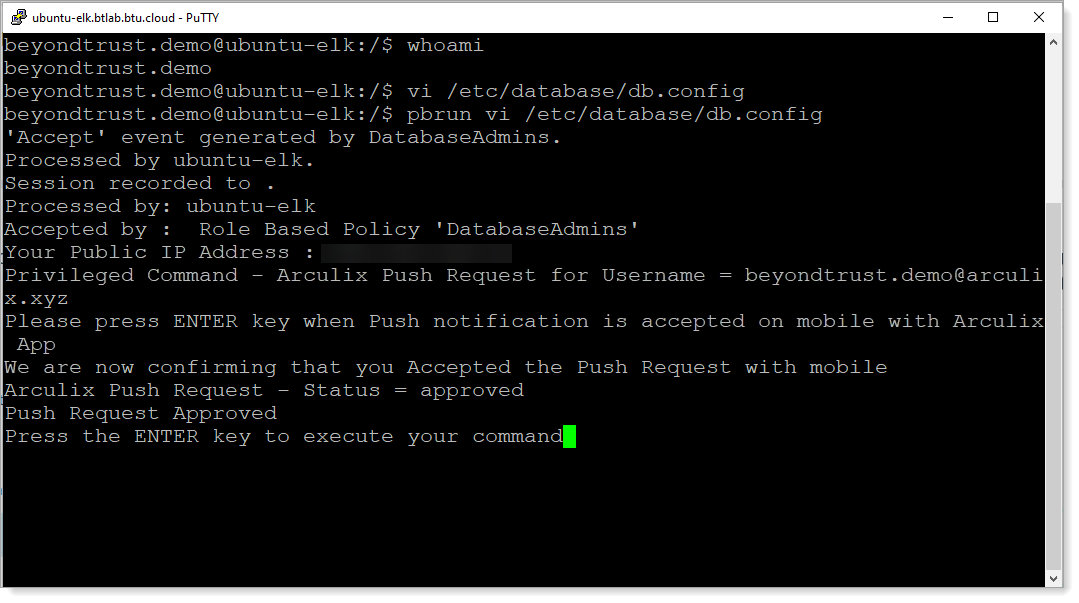
In Unix or Linux, run test commands like
whoamiandpbrun.Result: When the application prefixes the command with
pbrun, it runs the policy script for an assigned role likebeyondtrust.demo.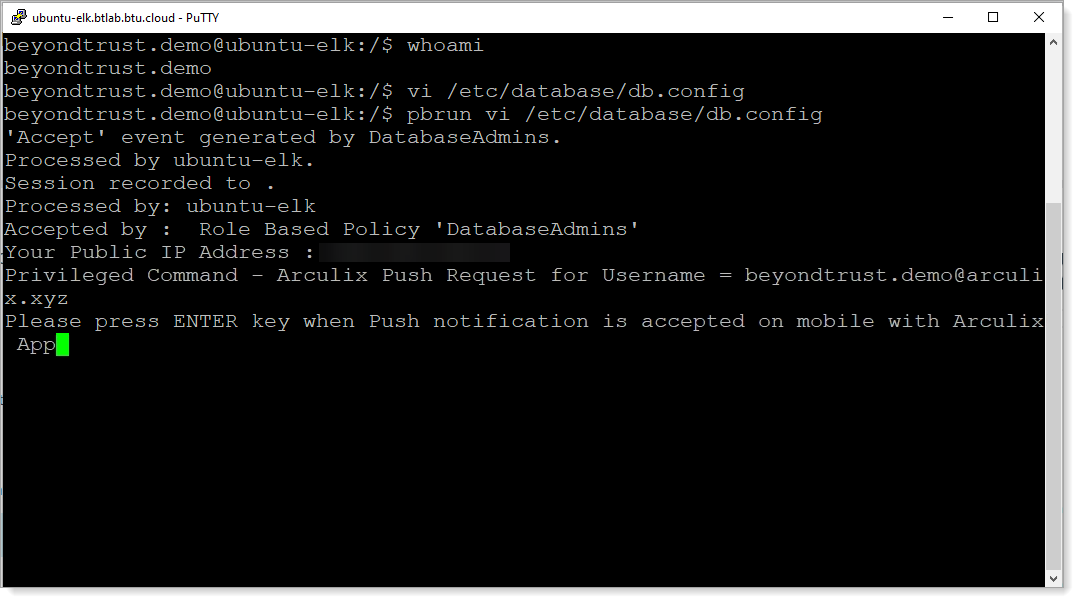
-
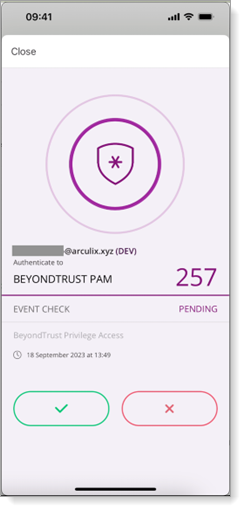
Make sure it sends a push notification to your Workforce Authority Mobile app to authenticate your access.
-
Tap to accept the request in the Workforce Authority Mobile app and press Enter in Linux to confirm.
Result: The terminal window in Unix or Linux shows you accepted the push request on Workforce Authority Mobile.
-
Now that your user account is authenticated in Unix or Linux, you have privileged access.
For example, you can now edit the file and change the Port number like the following example.
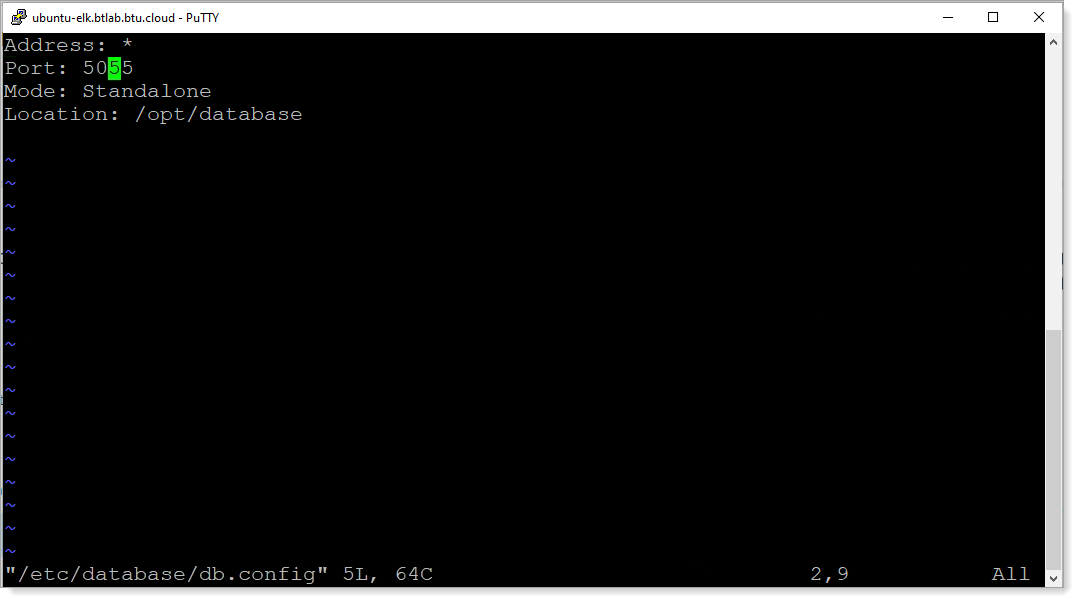
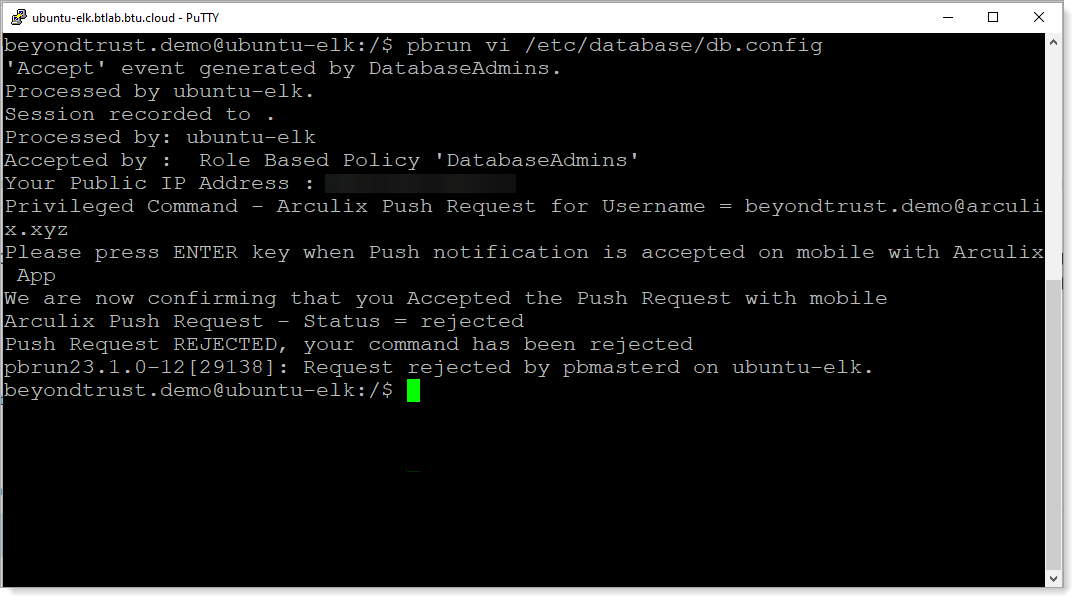
Take note that if you deny the push request to Workforce Authority Mobile or leave it in a pending state, it rejects the authentication request.