Citrix Workspace TOTP integration
Multi-Factor Authentication (MFA) is an extra layer of security used when logging into websites or apps. Individuals are authenticated through more than one required security and validation procedure that only they know or have access to.
Citrix™ Workspace offers a complete and integrated digital workspace that’s streamlined for IT control and easily accessible for users. Workforce Authority by SecureAuth, as a Citrix Ready Partner, offers a simple solution for adding Multi-Factor Authentication (MFA) to Citrix Workspace via its TOTP solution.
Prerequisites
- User account with administrative privileges for Citrix Cloud Login.
Connect Cloud Connector to Citrix™ Cloud
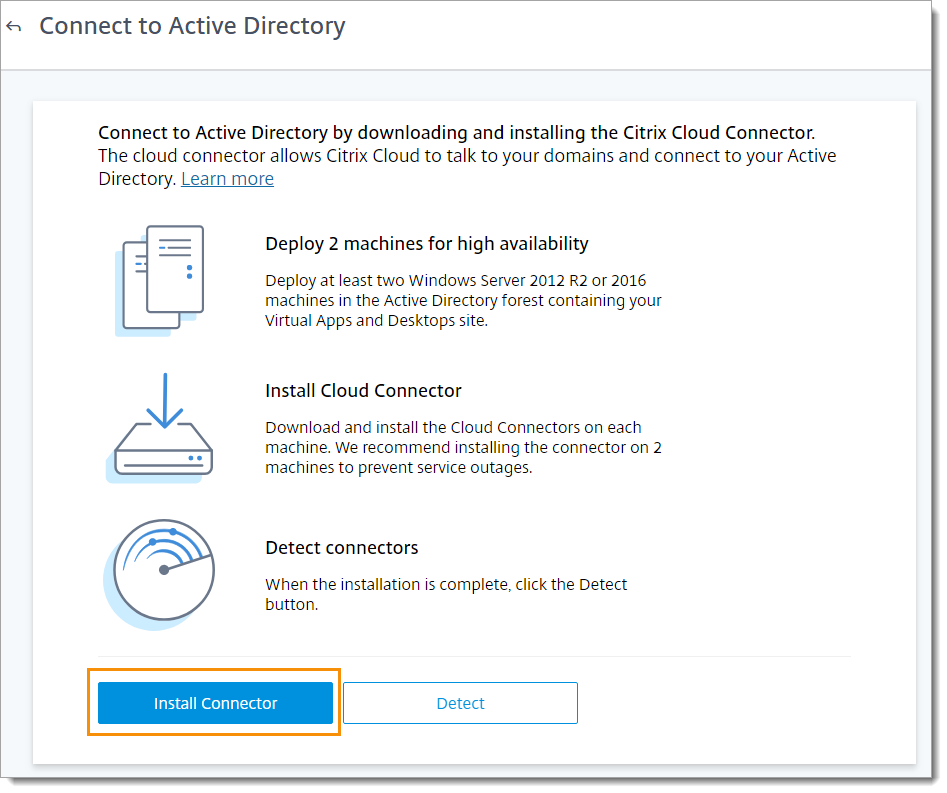
The Citrix Cloud Connector is a Citrix component that serves as a channel for communication between Citrix Cloud and your resource locations, enabling cloud management without requiring any complex networking or infrastructure configuration. The Virtual Apps and Desktops service requires the Cloud Connector. Citrix recommends installing two Cloud Connectors for high availability.
-
Sign in to Citrix Cloud at https://citrix.cloud.com.
-
From the Citrix Cloud menu, select Identity and Access Management.
-
From the Authentication tab, in Active Directory, click the ellipsis menu and select Connect.

-
Click Install Connector to download the Cloud Connector software.
-
Launch the Cloud Connector installer and follow the installation wizard.
-
From the Connect to Active Directory page, click Detect.
After verification, Citrix Cloud displays a message that your Active Directory is connected.
-
After Citrix Cloud verifies the connection with your Active Directory, click Next.
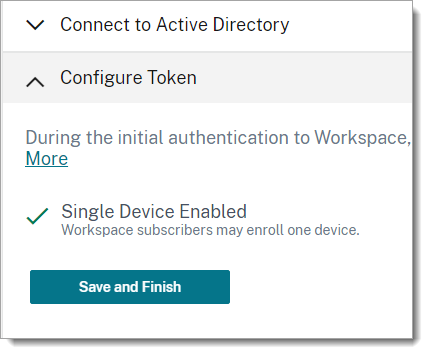
The Configure Token page appears and the Single device option is selected by default.
-
Click Save and Finish to complete the configuration. On the Authentication tab, the Active Directory + Token entry is marked as Enabled.

Configure Citrix WorkSpace to use Active Directory + Token as its authentication source
-
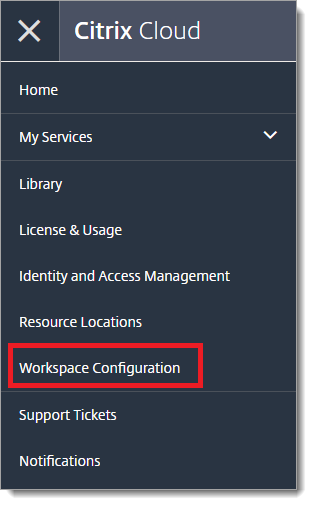
From the Citrix Cloud menu, select Workspace Configuration.
-
From the Authentication tab, select Active Directory + Token button.
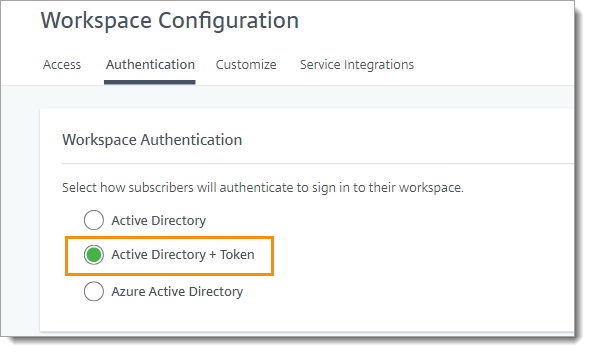
After enabling Active Directory plus token authentication, Workspace subscribers can register their device and use the Workforce Authority Mobile app to generate tokens.
Test your application integration
-
Go to your Workspace URL and enter your credentials.
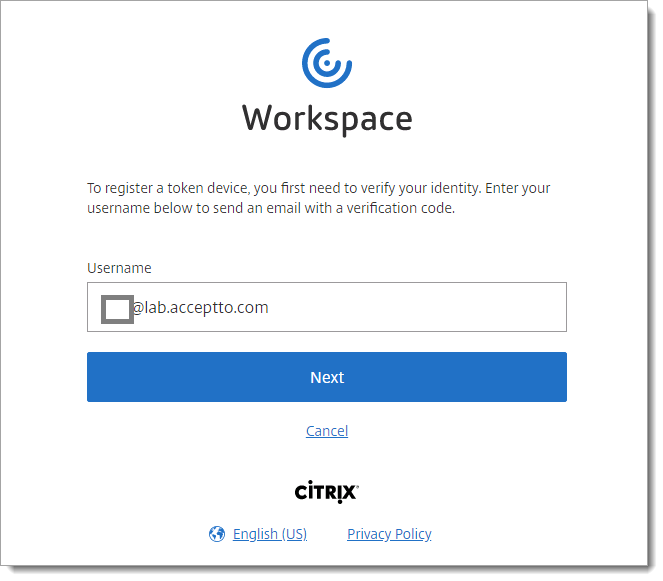
-
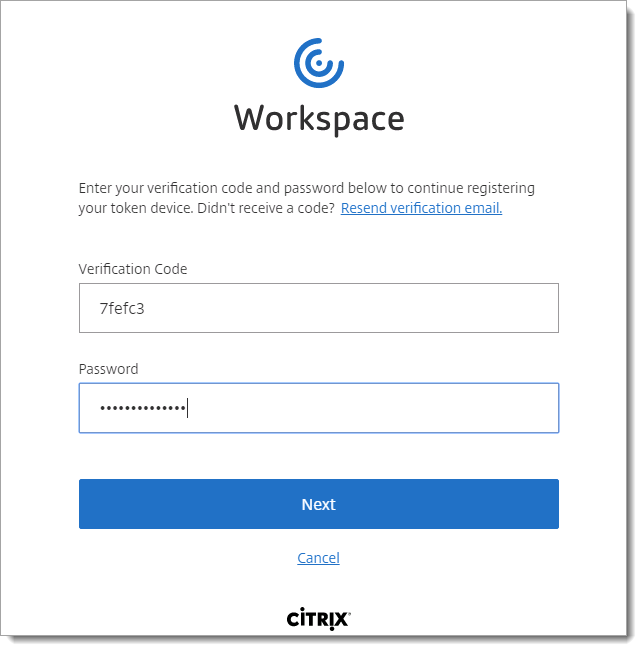
A verification code is sent to your email. Enter the verification code and your password and click Next.
-
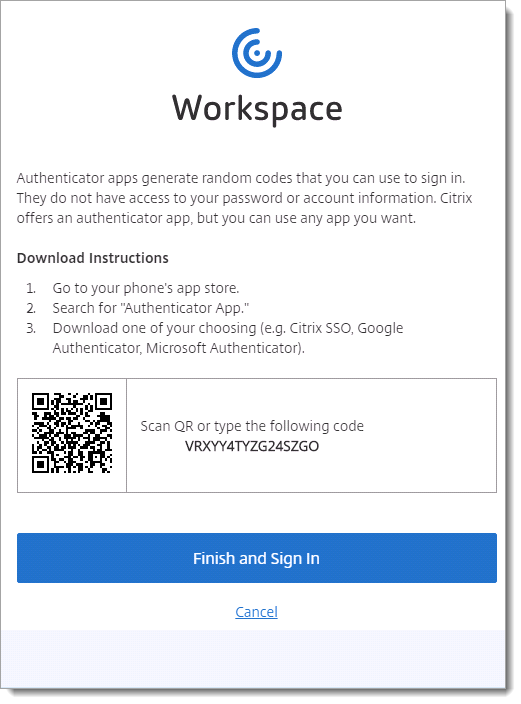
Open your Workforce Authority Mobile app. Go to Offline TOTP, select Scan QR Code and click Finish and Sign in.
-
The new TOTP is shown on your Workforce Authority Mobile app.
-
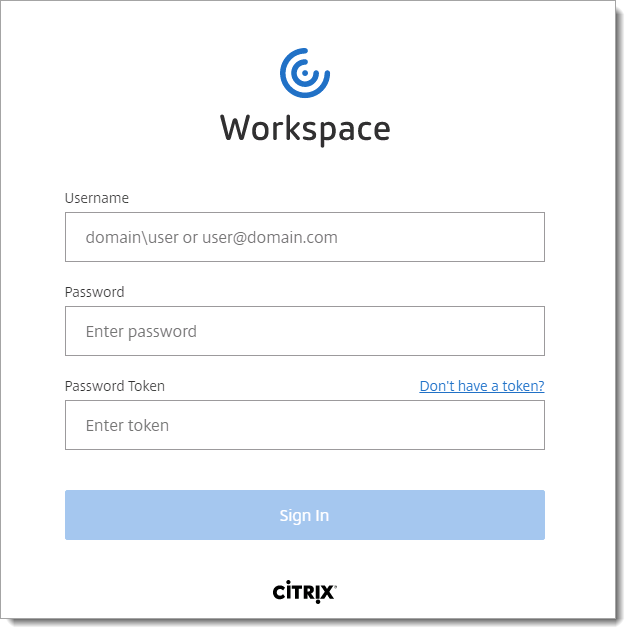
You will be redirected to WorkSpace login page with a password Token. Enter your credentials and Workforce Authority Offline TOTP, then click Sign In to go to your Citrix WorkSpace landing page.
-
You’re now logged in with Workforce Authority's MFA to you Citrix Workspace.
Support
If you have questions or need assistance, contact SecureAuth Support.
Sales
Want to learn more about our MFA solutions? Contact our Professional Services for a demo today.
Disclaimer
All product names, trademarks, and registered trademarks are the property of their respective owners.
All company, product, and service names used in this document are for identification purposes only. The use of these names, trademarks, and brands do not constitute an endorsement by the SecureAuth Corporation.
Citrix, Citrix Cloud, and Citrix Workspace are either registered trademarks or trademarks of Citrix and/or one or more of its subsidiaries in the United States and/or other countries.
Azure, Microsoft and 'Active Directory' are either registered trademarks or trademarks of Microsoft and/or one or more of its subsidiaries in the United States and/or other countries.